1<p align="center" width="100%"> 2 <img width="38%" src="https://user-images.githubusercontent.com/10411078/149529602-7dcbaf26-55cd-4588-8989-206b76d32f07.png"> 3</p> 4 5 6[](https://crates.io/crates/xiu) 7[](https://crates.io/crates/xiu) 8[](https://crates.io/crates/rtmp) 9[](https://crates.io/crates/rtmp) 10[](https://crates.io/crates/xrtsp) 11[](https://crates.io/crates/xrtsp) 12[](https://crates.io/crates/xwebrtc) 13[](https://crates.io/crates/xwebrtc) 14[](https://crates.io/crates/httpflv) 15[](https://crates.io/crates/httpflv) 16[](https://crates.io/crates/hls) 17[](https://crates.io/crates/hls) 18[](https://crates.io/crates/xflv) 19[](https://crates.io/crates/xflv) 20[](https://crates.io/crates/xmpegts) 21[](https://crates.io/crates/xmpegts) 22[](https://app.travis-ci.com/github/harlanc/xiu) 23[](https://discord.gg/gS5wBRtpcB) 24 25 26 27 28 29 30 31[中文文档](https://github.com/harlanc/xiu/blob/master/README_CN.md) 32 33Xiu is a simple,high performance and secure live media server written in pure Rust, it now supports popular live protocols like RTMP[cluster]/RTSP/WebRTC[Whip/Whep]/HLS/HTTP-FLV. 34 35## Features 36- [x] Support multiple platforms(Linux/MacOS/Windows). 37- [x] Support RTMP. 38 - [x] Support publishing or subscribing H.264/AAC streams. 39 - [x] Support GOP cache which can be configured in the configuration file. 40 - [x] Support protocol conversion from RTMP to HTTP-FLV/HLS. 41 - [x] Support cluster. 42- [x] Support RTSP. 43 - [x] Support publishing or subscribing H.265/H.264/AAC stream over both TCP(Interleaved) and UDP. 44 - [x] Support protocol conversion from RTSP to RTMP/HLS/HTTP-FLV. 45- [x] Support WebRTC(Whip/Whep). 46 - [x] Support publishing rtc stream using Whip. 47 - [x] Support subscribing rtc stream using Whep. 48- [x] Support HTTP-FLV/HLS protocols(Transferred from RTMP/RTSP). 49- [x] Support configuring the service using command line or a configuration file. 50- [x] Support HTTP API/Notifications. 51 - [x] Support querying stream information. 52 - [x] Support notification of stream status. 53- [x] Support token authentications. 54- [x] Support recording live streams into HLS files(m3u8+ts). 55 56 57## Preparation 58#### Install Rust and Cargo 59 60[Document](https://doc.rust-lang.org/cargo/getting-started/installation.html) 61 62## Install and run 63 64There are two ways to install xiu : 65 66 - Using cargo to install 67 - Building from source 68 69 70### Install using cargo 71 72Issue the following command to install xiu: 73 74 cargo install xiu 75Start the service with the following command to get help: 76 77 xiu -h 78 A secure and easy to use live media server, hope you love it!!! 79 80 Usage: xiu [OPTIONS] 81 82 Options: 83 -c, --config <path> Specify the xiu server configuration file path. 84 -r, --rtmp <port> Specify the RTMP listening port(e.g.:1935). 85 -t, --rtsp <port> Specify the rtsp listening port.(e.g.:554). 86 -w, --webrtc <port> Specify the whip/whep listening port.(e.g.:8900). 87 -f, --httpflv <port> Specify the HTTP-FLV listening port(e.g.:8080). 88 -s, --hls <port> Specify the HLS listening port(e.g.:8081). 89 -l, --log <level> Specify the log level. [possible values: trace, debug, info, warn, error, debug] 90 -h, --help Print help. 91 -V, --version Print version. 92 93### Build from souce 94 95#### Clone Xiu 96 97 git clone https://github.com/harlanc/xiu.git 98 99use master branch 100 101#### Build 102 103We use makefile to build xiu and revelant libraries. 104 105- Using make local to build local source codes: 106 107 make local && make build 108- Using make online to pull the online crates codes and build: 109 110 make online && make build 111 112#### Run 113 114 cd ./xiu/target/release or ./xiu/target/debug 115 ./xiu -h 116 117## CLI 118 119#### Instructions 120 121You can use command line to configure the xiu server easily. You can specify to configure xiu using configuration file or from the command lines. 122 123##### Configure using file 124 125 xiu -c configuration_file_path 126 127##### Configure using command line 128 129 xiu -r 1935 -t 5544 -f 8080 -s 8081 -l info 130 131 132#### How to Configure the configuration file 133 134##### RTMP 135 [rtmp] 136 enabled = true 137 port = 1935 138 139 # pull streams from other server node. 140 [rtmp.pull] 141 enabled = false 142 address = "192.168.0.1" 143 port = 1935 144 145 # push streams to other server node. 146 [[rtmp.push]] 147 enabled = true 148 address = "localhost" 149 port = 1936 150 [[rtmp.push]] 151 enabled = true 152 address = "192.168.0.3" 153 port = 1935 154 155 156##### RTSP 157 [rtsp] 158 enabled = false 159 port = 5544 160 161##### WebRTC(Whip/Whep) 162 [webrtc] 163 enabled = false 164 port = 8900 165 166##### HTTPFLV 167 168 [httpflv] 169 # true or false to enable or disable the feature 170 enabled = true 171 # listening port 172 port = 8081 173 174##### HLS 175 [hls] 176 # true or false to enable or disable the feature 177 enabled = true 178 # listening port 179 port = 8080 180 # need record the live stream or not 181 need_record = true 182 183##### Log 184 185 [log] 186 level = "info" 187 [log.file] 188 # write log to file or not(Writing logs to file or console cannot be satisfied at the same time). 189 enabled = true 190 # set the rotate 191 rotate = "hour" #[day,hour,minute] 192 # set the path where the logs are saved 193 path = "./logs" 194 195### Configuration examples 196 197I edit some configuration files under the following path which can be used directly: 198 199 xiu/application/xiu/src/config 200 201It contains the following 4 files: 202 203 config_rtmp.toml //enable rtmp only 204 config_rtmp_hls.toml //enable rtmp and hls 205 config_rtmp_httpflv.toml //enable rtmp and httpflv 206 config_rtmp_httpflv_hls.toml //enable all the 3 protocols 207 208 209 210 211## Scenarios 212 213##### Push 214 215###### Push RTMP 216 217You can use two ways: 218 219- Use OBS to push a live rtmp stream 220- Or use FFmpeg to push a rtmp stream: 221 222 ffmpeg -re -stream_loop -1 -i test.mp4 -c:a copy -c:v copy -f flv -flvflags no_duration_filesize rtmp://127.0.0.1:1935/live/test 223 224###### Push RTSP 225 226- Over TCP(Interleaved mode) 227 228 ffmpeg -re -stream_loop -1 -i test.mp4 -c:v copy -c:a copy -rtsp_transport tcp -f rtsp rtsp://127.0.0.1:5544/live/test 229 230- Over UDP 231 232 ffmpeg -re -stream_loop -1 -i test.mp4 -c:v copy -c:a copy -f rtsp rtsp://127.0.0.1:5544/live/test 233 234###### Push RTC(Whip) 235 236Now OBS (version 3.0 or above) can support whip output. The configurations are as follows: 237 238 239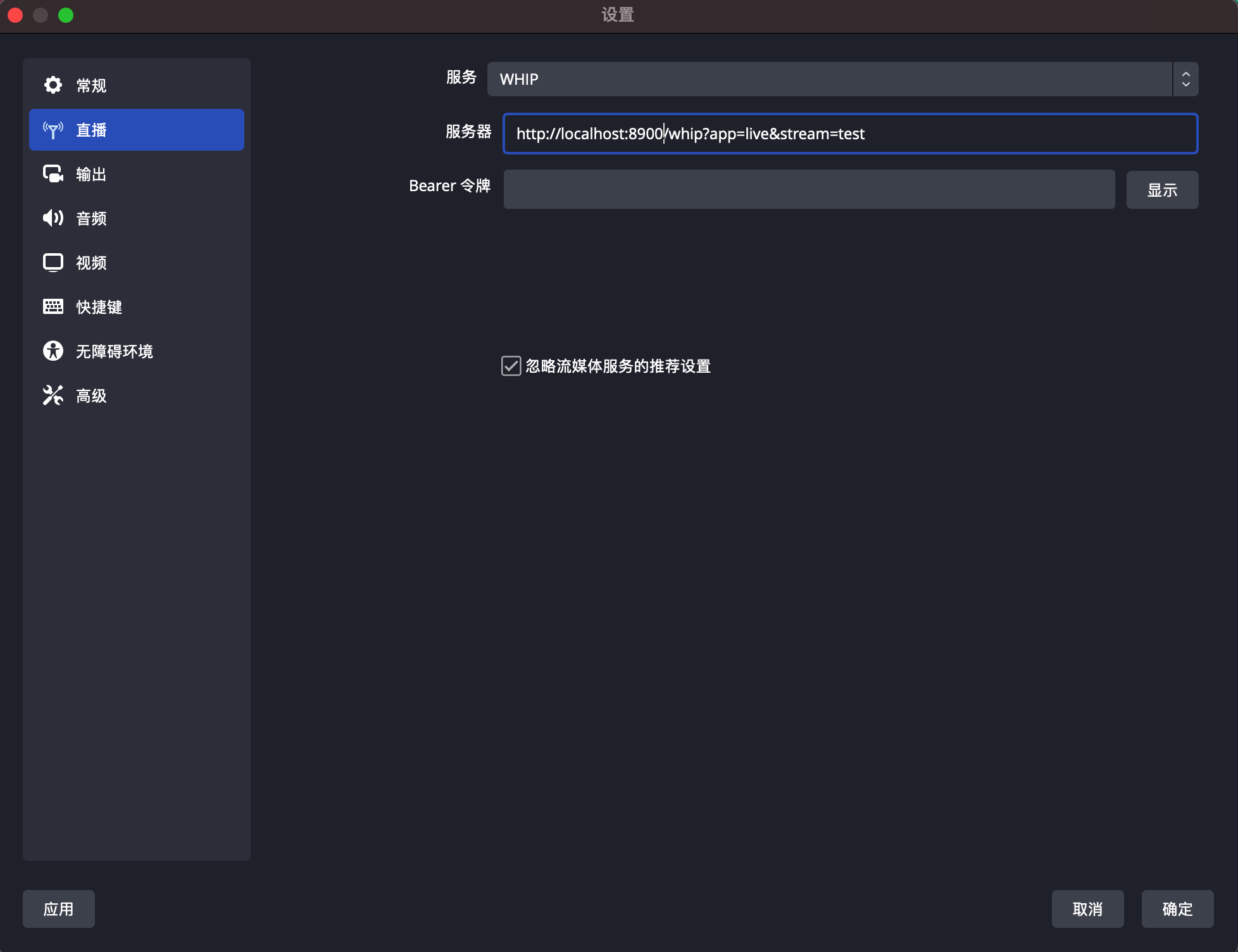 240 241##### Play 242 243Use ffplay to play the rtmp/rtsp/httpflv/hls live stream: 244 245 ffplay -i rtmp://localhost:1935/live/test 246 ffplay -i rtsp://127.0.0.1:5544/live/test 247 ffplay -rtsp_transport tcp -i rtsp://127.0.0.1:5544/live/test 248 ffplay -i http://localhost:8081/live/test.flv 249 ffplay -i http://localhost:8080/live/test/test.m3u8 250 251- How to play WebRTC stream*(Whep) 252 253 1. Copy the files under xiu/protocol/webrtc/src/clients/ folder to the same level directory of the binary file xiu. 254 2. Open the address http://localhost:8900 in the browser. 255 3. Enter the app name and stream name corresponding to the OBS whip publish address. 256 4. Click Start WHEP(After OBS publish) to play the RTC stream. 257 258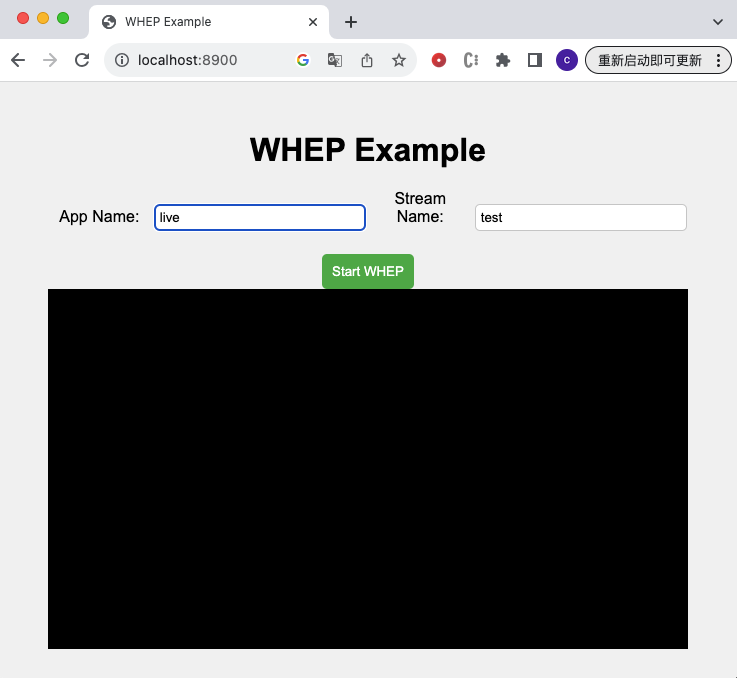 259 260##### Relay - Static push 261 262The configuration files are as follows: 263 264The configuration file of Service 1 named config.toml: 265 266 [rtmp] 267 enabled = true 268 port = 1935 269 [[rtmp.push]] 270 enabled = true 271 address = "localhost" 272 port = 1936 273 274The configuration file of Service 2 named config_push.toml: 275 276 [rtmp] 277 enabled = true 278 port = 1936 279 280Run the 2 services: 281 282 ./xiu config.toml 283 ./xiu config_push.toml 284 285 286Use the above methods to push rtmp live stream to service 1, then the stream can be pushed to service 2 automatically, you can play the same live stream from both the two services: 287 288 ffplay -i rtmp://localhost:1935/live/test 289 ffplay -i rtmp://localhost:1936/live/test 290 291 292 293##### Relay - Static pull 294 295The configuration file are as follows: 296 297The configuration file of Service 1 named config.toml: 298 299 [rtmp] 300 enabled = true 301 port = 1935 302 303 304The configuration file of Service 2 named config_pull.toml: 305 306 [rtmp] 307 enabled = true 308 port = 1936 309 [rtmp.pull] 310 enabled = false 311 address = "localhost" 312 port = 1935 313 314Run the 2 services: 315 316 ./xiu config.toml 317 ./xiu config_pull.toml 318 319Use the above methods to push live stream to service 1, when you play the stream from serivce 2, it will pull the stream from service 1: 320 321 ffplay -i rtmp://localhost:1935/live/test 322 ffplay -i rtmp://localhost:1936/live/test 323## Star History 324 325[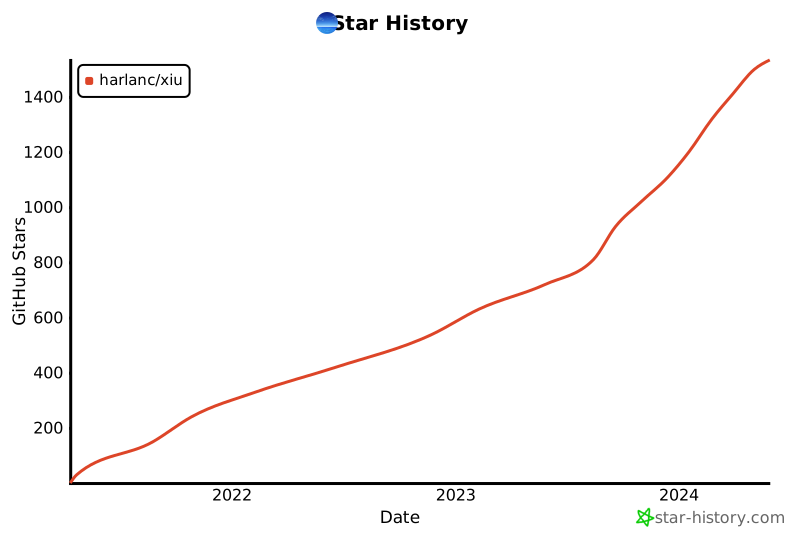](https://star-history.com/#harlanc/xiu) 326 327 328## Thanks 329 330 - [media_server](https://github.com/ireader/media-server.git) 331 332## Others 333 334Open issues if you have any problems. Star and pull requests are welcomed. Your stars can make this project go faster and further. 335 336

)
)
)
)
)
)
)
)
)
)
)
)
)
)
)
)
)
)
)
)
)
)
)
)
)

)